 Ingathery
Everything for gathering your Bible notes
However a note starts life - typed, handwritten, or a PDF handout - it ends up in the same place, linked to Scripture, and easy to find again.
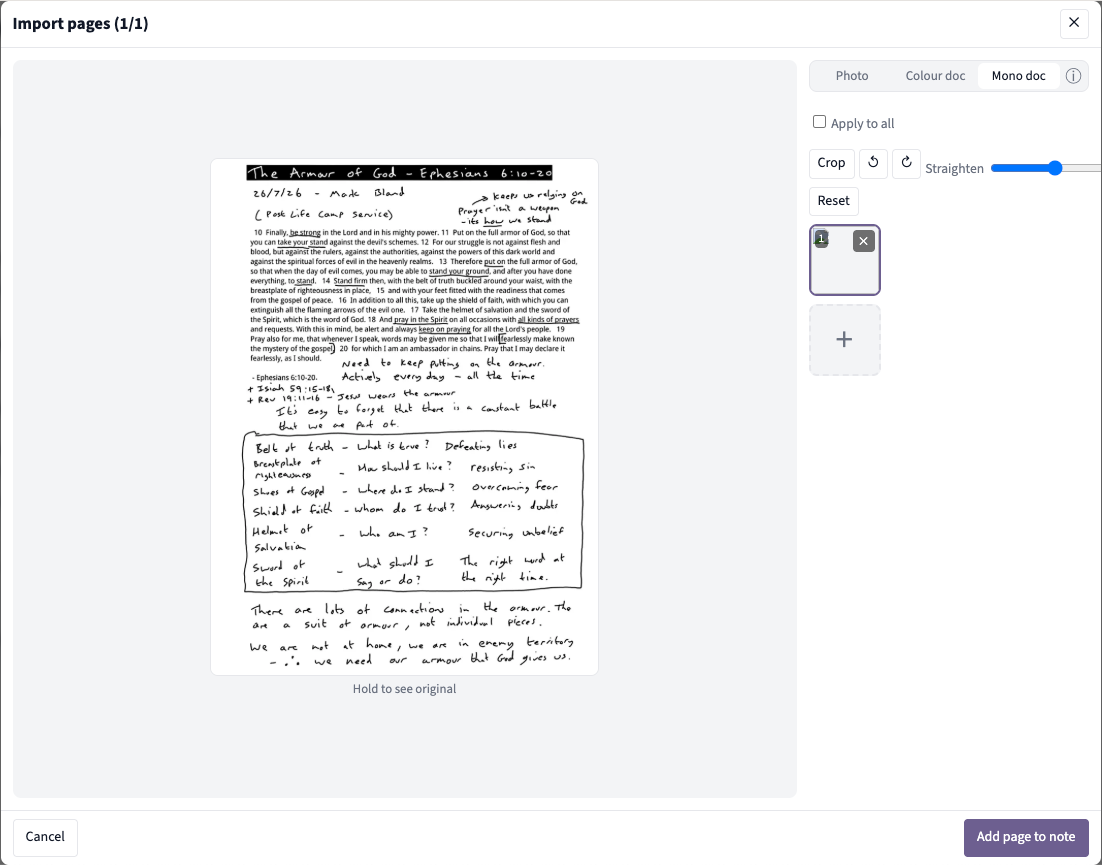
Type it, photograph it, or drop in a PDF
Write straight into Ingathery with a simple rich-text editor and an editing toolbar (or markdown if you prefer).
Or reach for your phone. Photograph a page from your paper notebook, or export handwritten notes from an app on your tablet/iPad or E Ink tablet, and Ingathery automatically straightens, crops, and improves the image so it's clear and easy to read back. No squinting at a wonky, badly-lit photo.
- Multiple pages at once, kept in order
- Photo, colour document, or mono document modes, whichever suits the page
- PDFs: sermon handouts, study sheets, scanned pages - viewable right alongside your other notes
Paul's confidence isn't in circumstances — 2 Corinthians 5:7 says we walk by faith, not by sight. That echoes what he says in Romans 8:24-25 about hope we can't yet see. Reminds me of Hebrews 11:1 too.
Every reference, ready to open
As you write, Ingathery recognises Scripture references and turns them into live links. You never have to tag anything by hand (but you can add references manually if you want to).
Tap a reference and a passage panel opens right there: the text itself, your own notes on those verses, ranked cross-references, overlapping topics, and dictionary entries. All without losing your place.
Nothing you write sits in isolation
This is the part a generic notes app can't do. Every note connects to the Bible, and to your other notes, automatically.
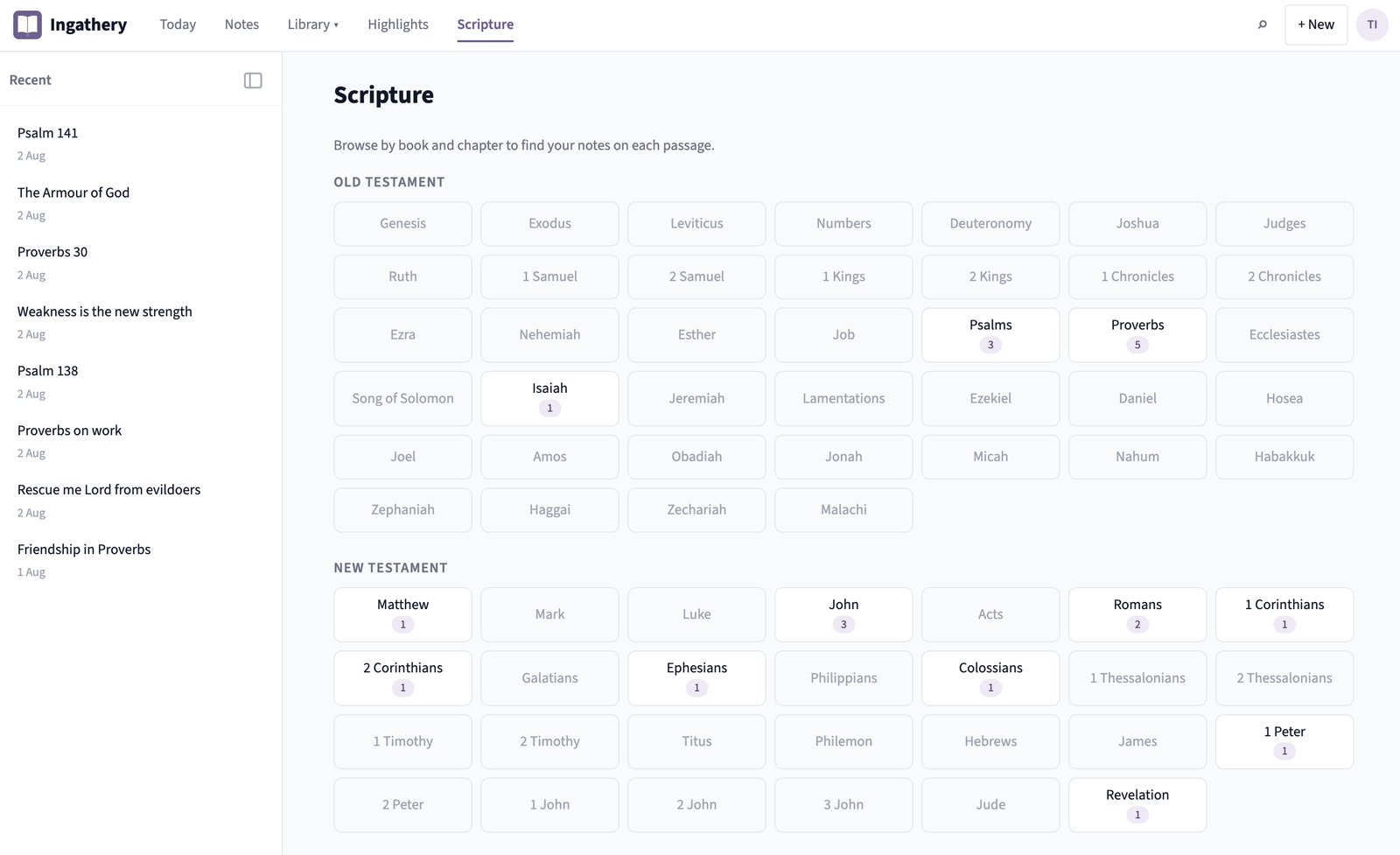
Browse by book
See a map of where you've written notes across the whole Bible. Every book, every chapter, with a note count wherever you've written something - so you can see at a glance where your study has gone deep, and where it hasn't yet. Tap through and jump straight to any passage.
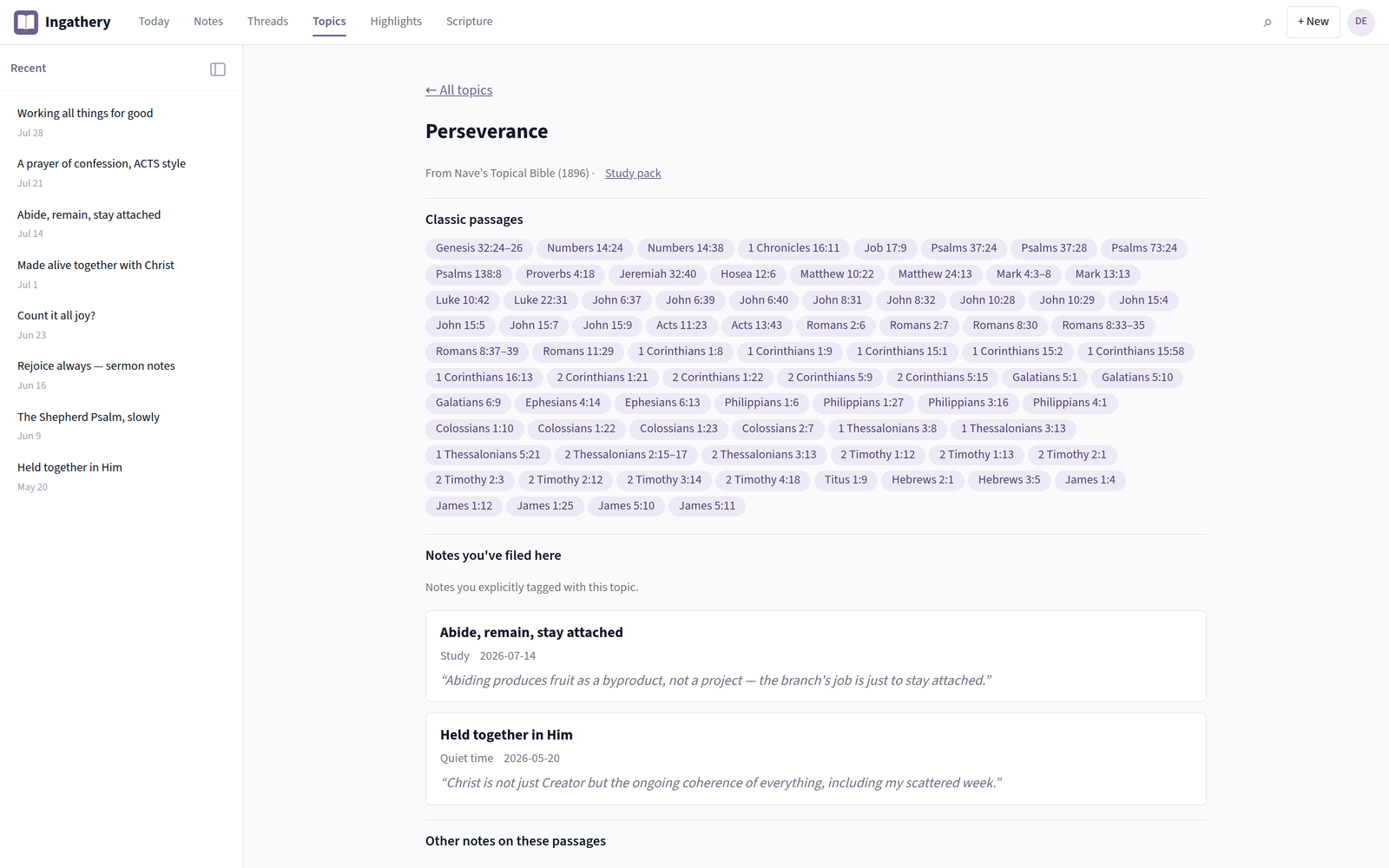
A built-in concordance
Open a topic, e.g. Perseverance, and see the classic passages associated with it, plus every note you've written that touches it. Zero filing required.
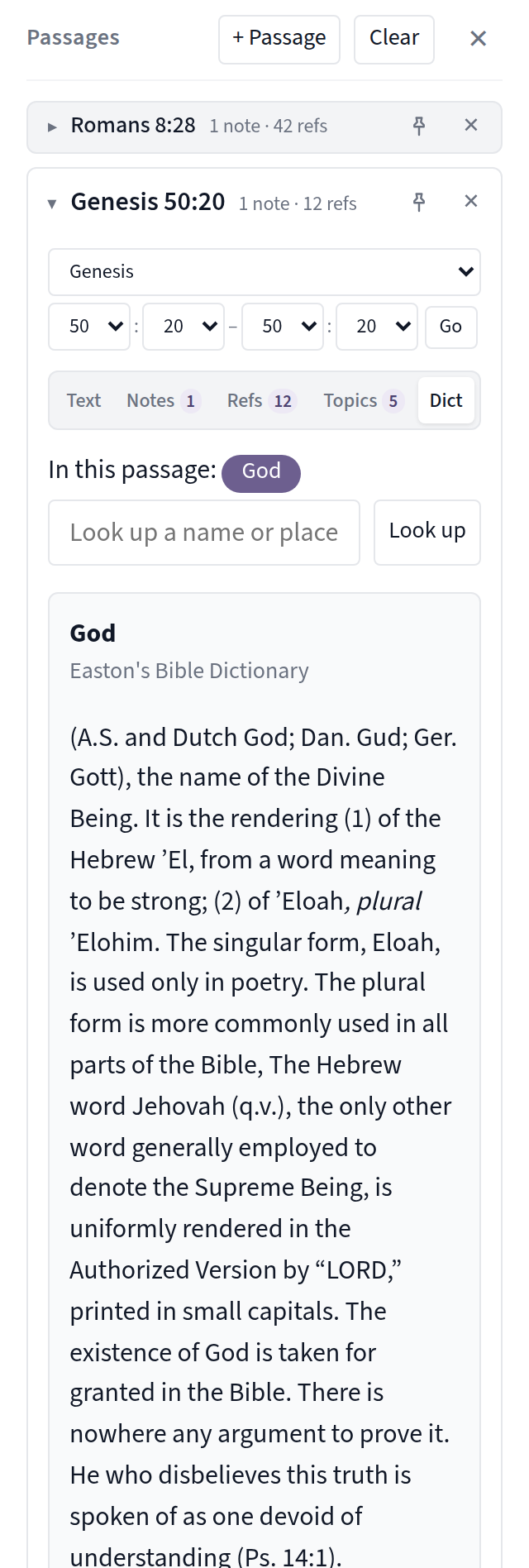
A dictionary, right where you need it
Look up a name or place without leaving what you're reading. It's the extra layer of context that makes a note worth revisiting.
Threads
String related notes together into a named, ordered trail, with your own commentary connecting each one. Watch a line of thought build over weeks or years.
Resurfacing
A daily panel gently brings back notes worth revisiting. Something from a while ago, or from this time last year. So what you've learned keeps working on you.
Share what you've gathered
Send any note to someone else with a one-off share code. They get their own copy, no account required to view it, but they can save it to their own Ingathery. Broadcasting to a whole small group or church is on our roadmap.
Start your free trial
16 days, full access, no card needed.
Or try the demo first, no sign-up needed.